Delete Your Account
We respect your privacy and give you full control over your data.
If you wish to delete your account, please follow the steps below.
📱 How to Delete Your Account
-
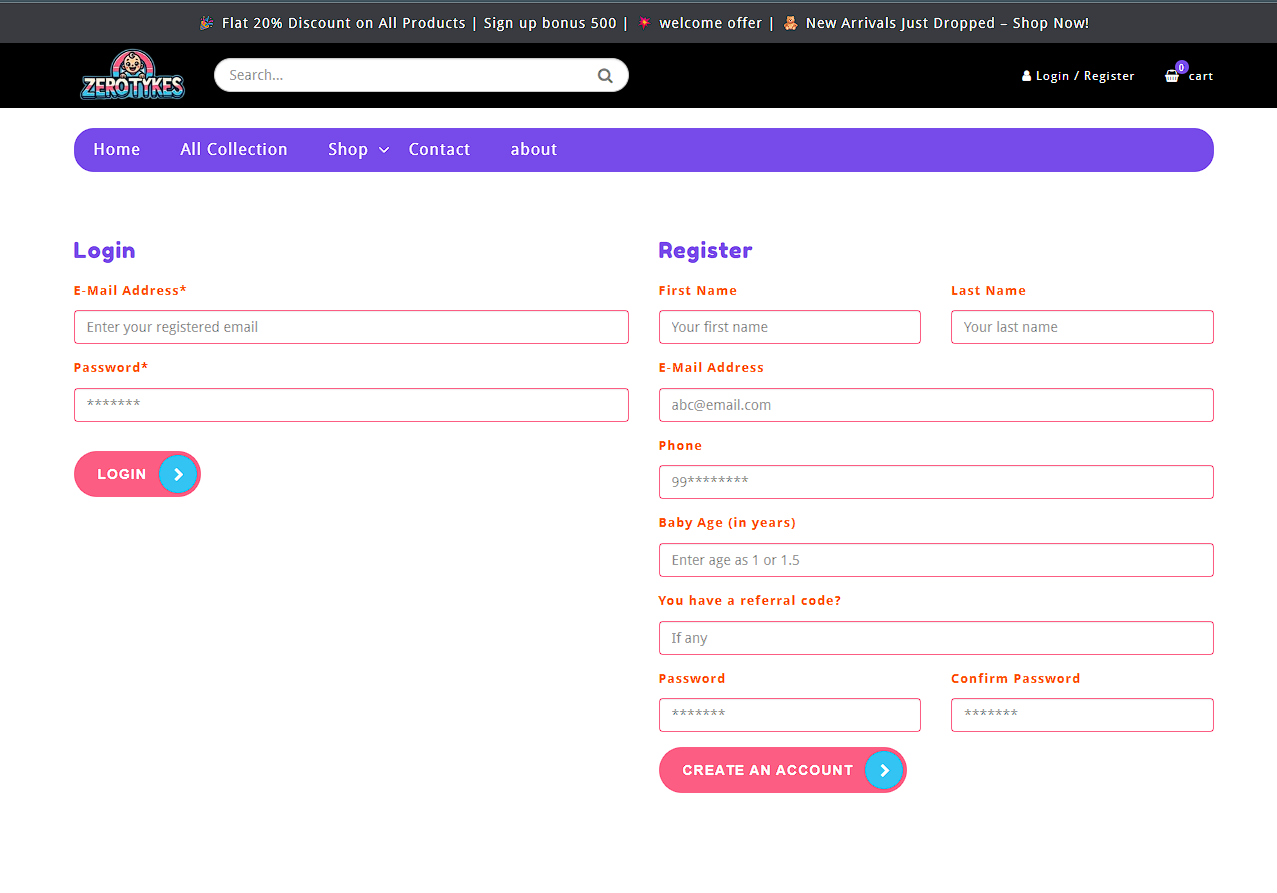
Log in to your account in the app or website.
-
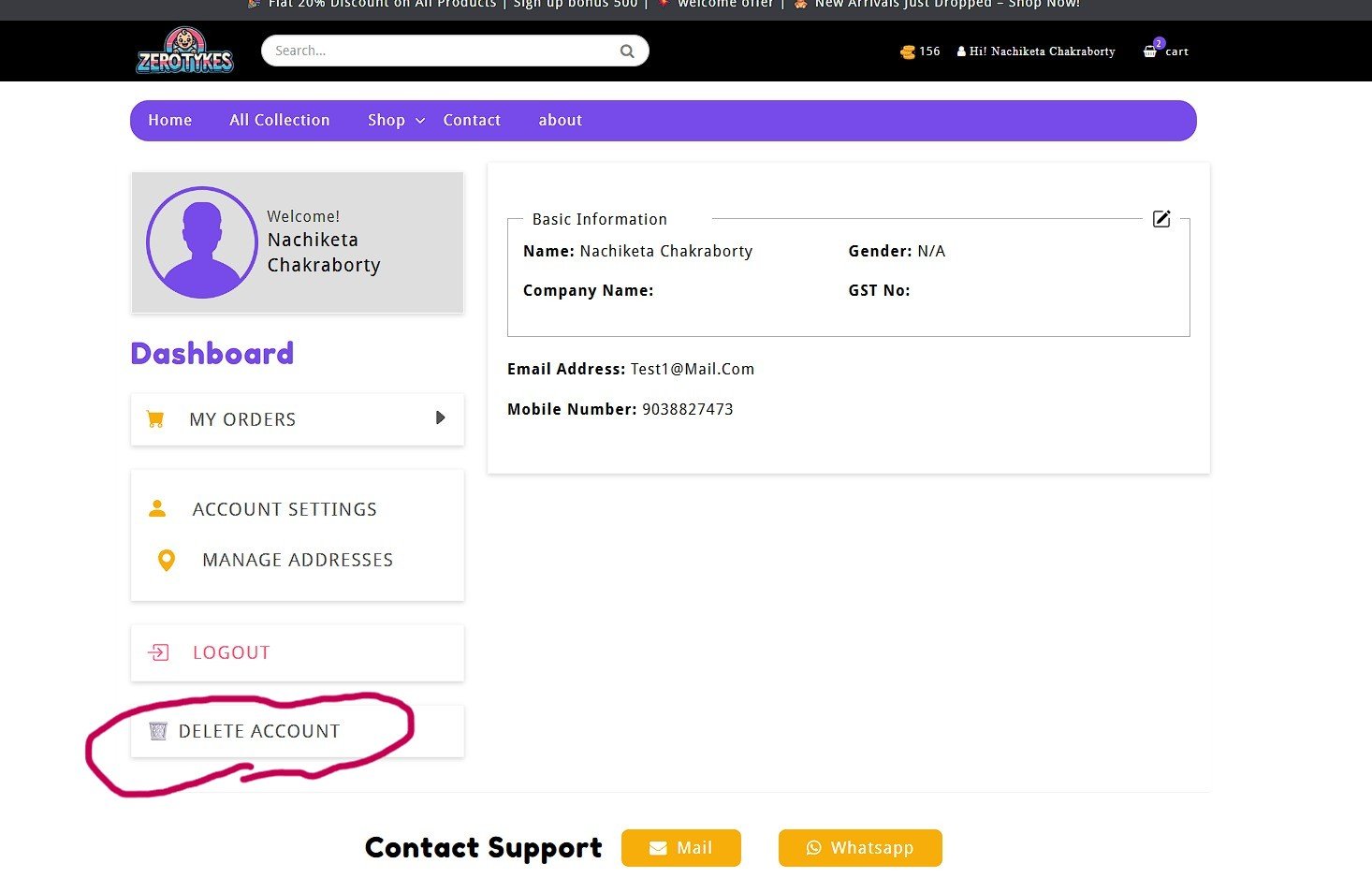
Go to My Profile / Account Settings -> Click on Delete Account..
-
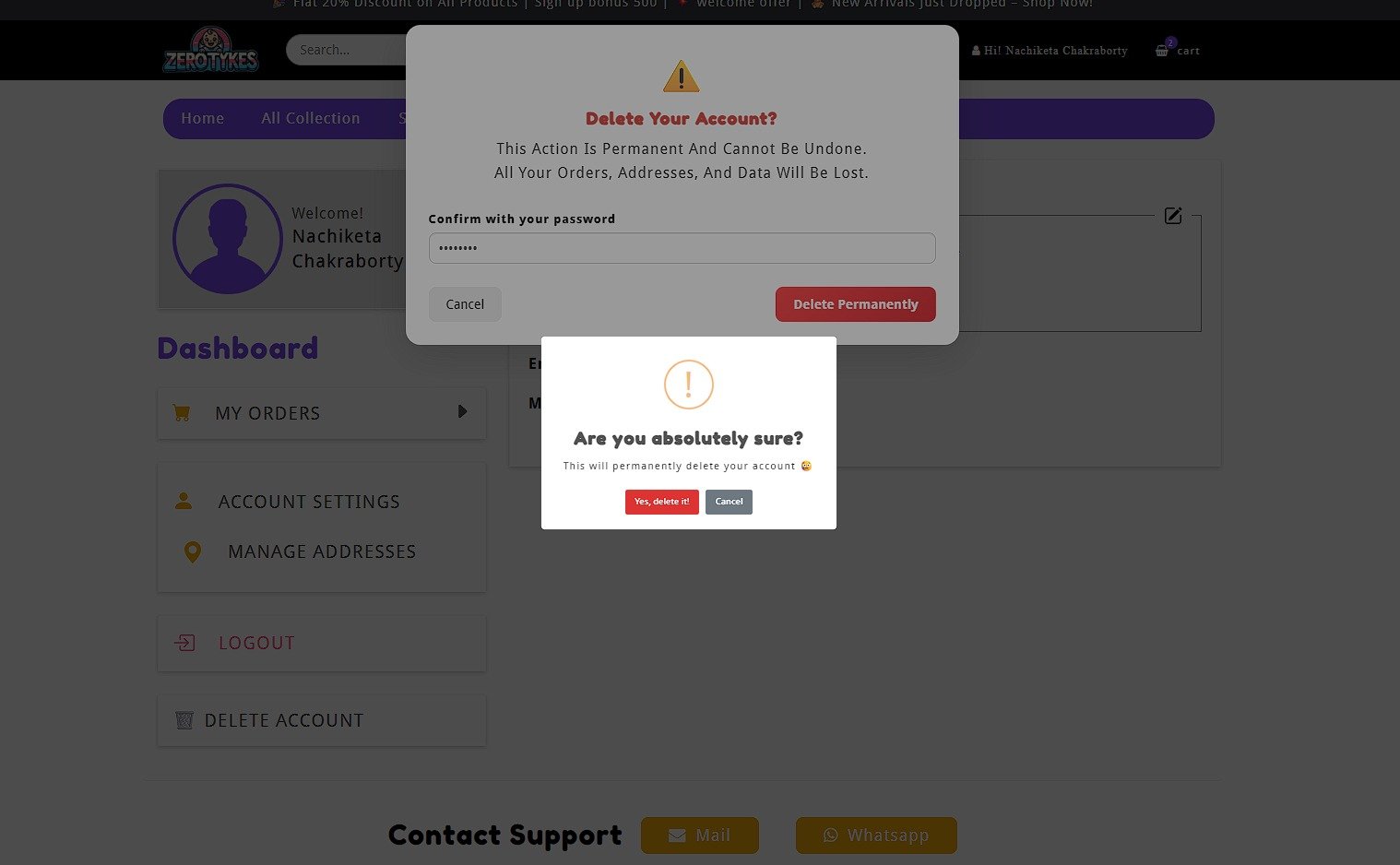
Enter your password to confirm.
- Confirm the deletion request.
⚠️ Once you delete your account, this action cannot be undone.
🗑️ What Happens After Deletion?
- Your account will be permanently deleted.
- Your personal information (name, email, phone, address) will be removed.
- Your order history and saved data will be deleted.
📌 Data Retention (if applicable)
Some data may be retained for legal or financial compliance purposes
(such as invoices or transaction records), as required by law.
📞 Need Help?
If you are unable to delete your account or need assistance, contact us:
- Email: contact@zerotykes.com
- WhatsApp: +91 6289993469
Go Back to Home